ResumeHelper, A Job Application Tracker
I think in systems and workflows and enjoy clean processes. So when it comes to searching for a new job, a simple spreadsheet won't do. So I built something better.
Introducing ResumeHelper!
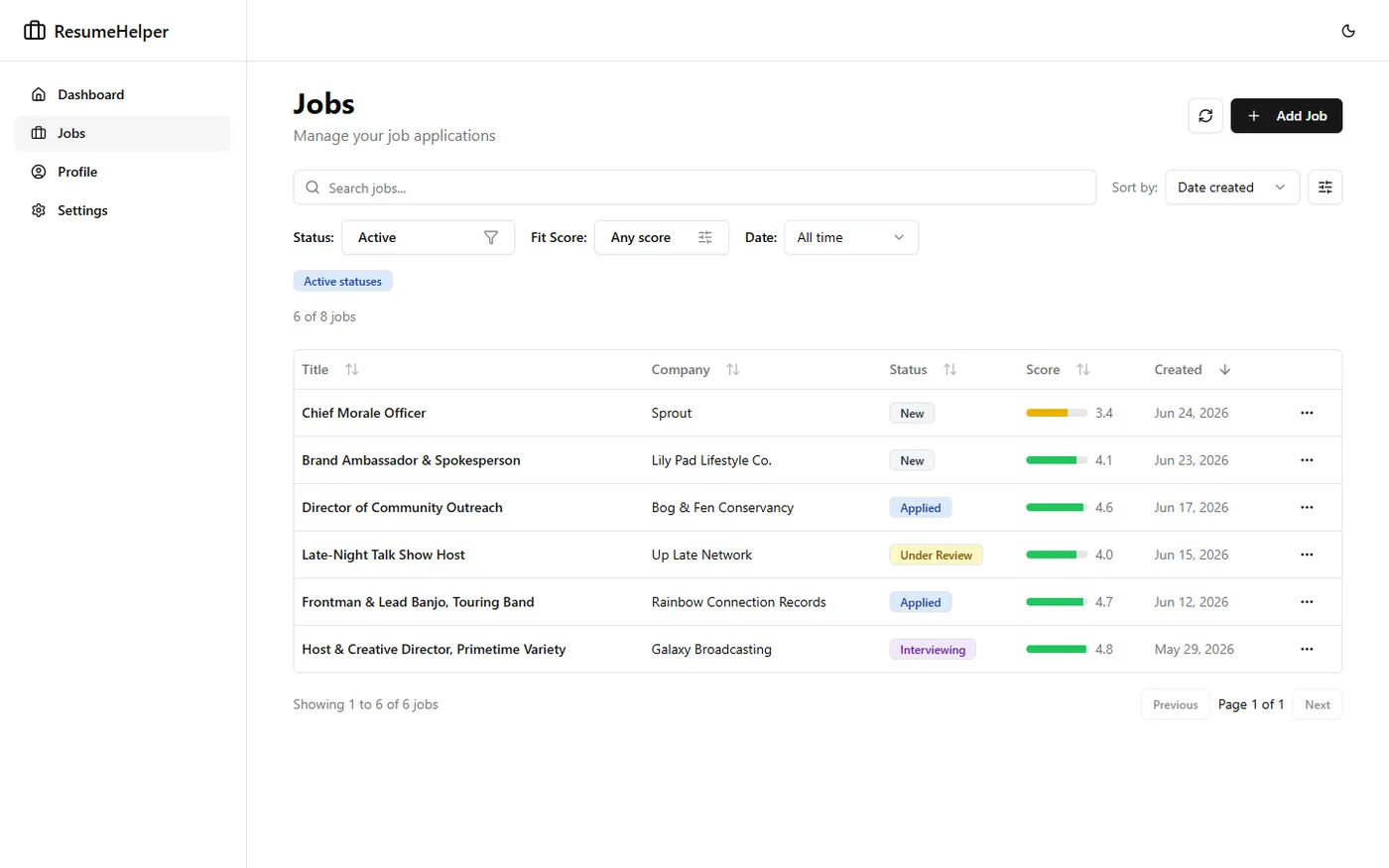
It's like the opposite of an ATS (Applicant Tracking System) for you, the job seeker! Some call this a Job Application Tracker or Job CRM.
From 'what job should I apply to' through to interview prep, it keeps everything in one system, everything tracked, and hooked up to AI where it's useful along the way.
Here are some of the things it can do:
Your Profile
Your profile consists of three things: Resume, Personal Context, and Stories
You start by uploading your current resume. It's best if this is as long and comprehensive as you can make it. The extra details will be useful later. Then you can also add some personal context for the scoring system to anchor on. For example you can tell it things like "I only want jobs where I work on a team" or "I'm open to hybrid work, but I can only commute 2 days a week max".
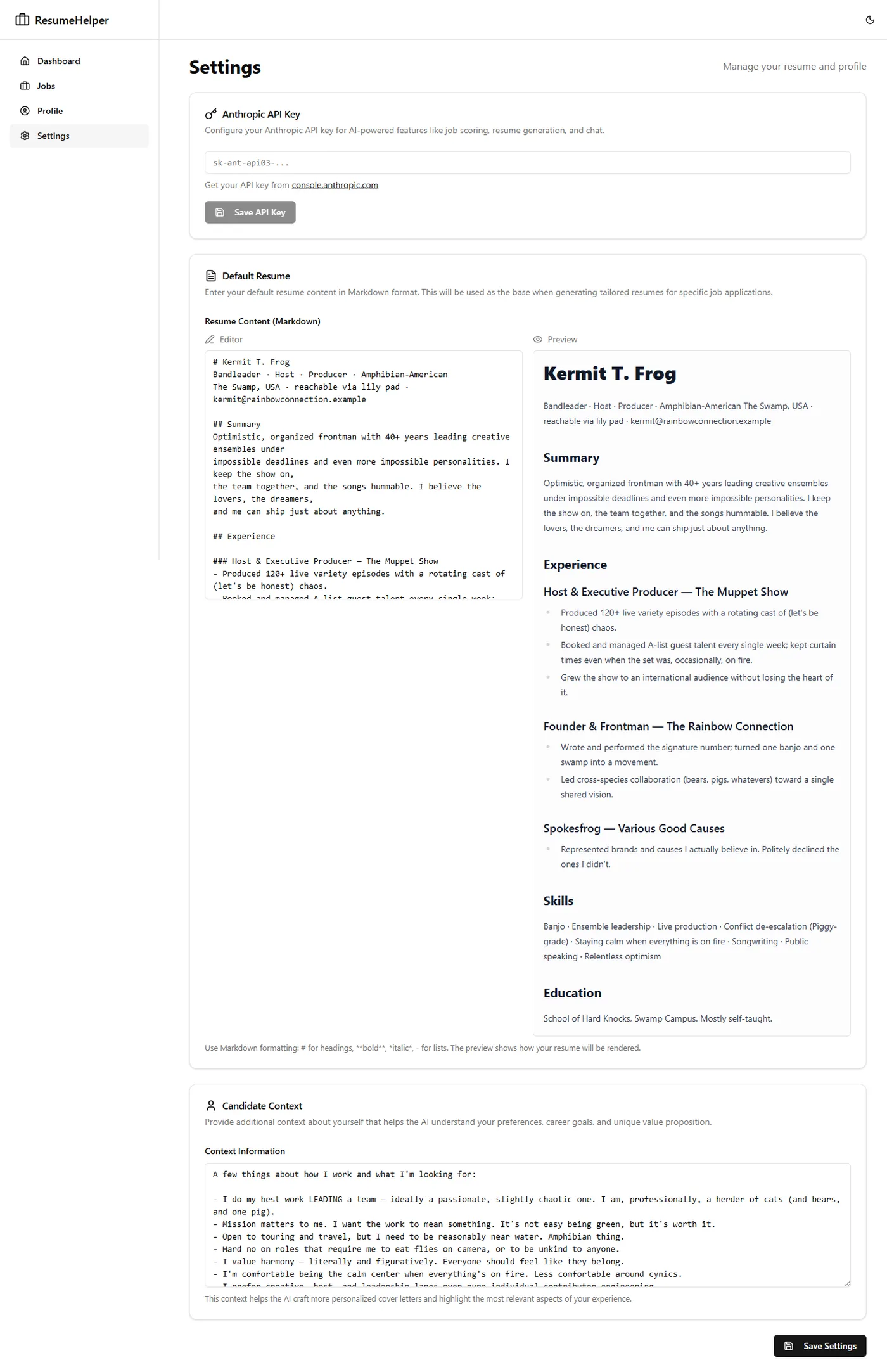
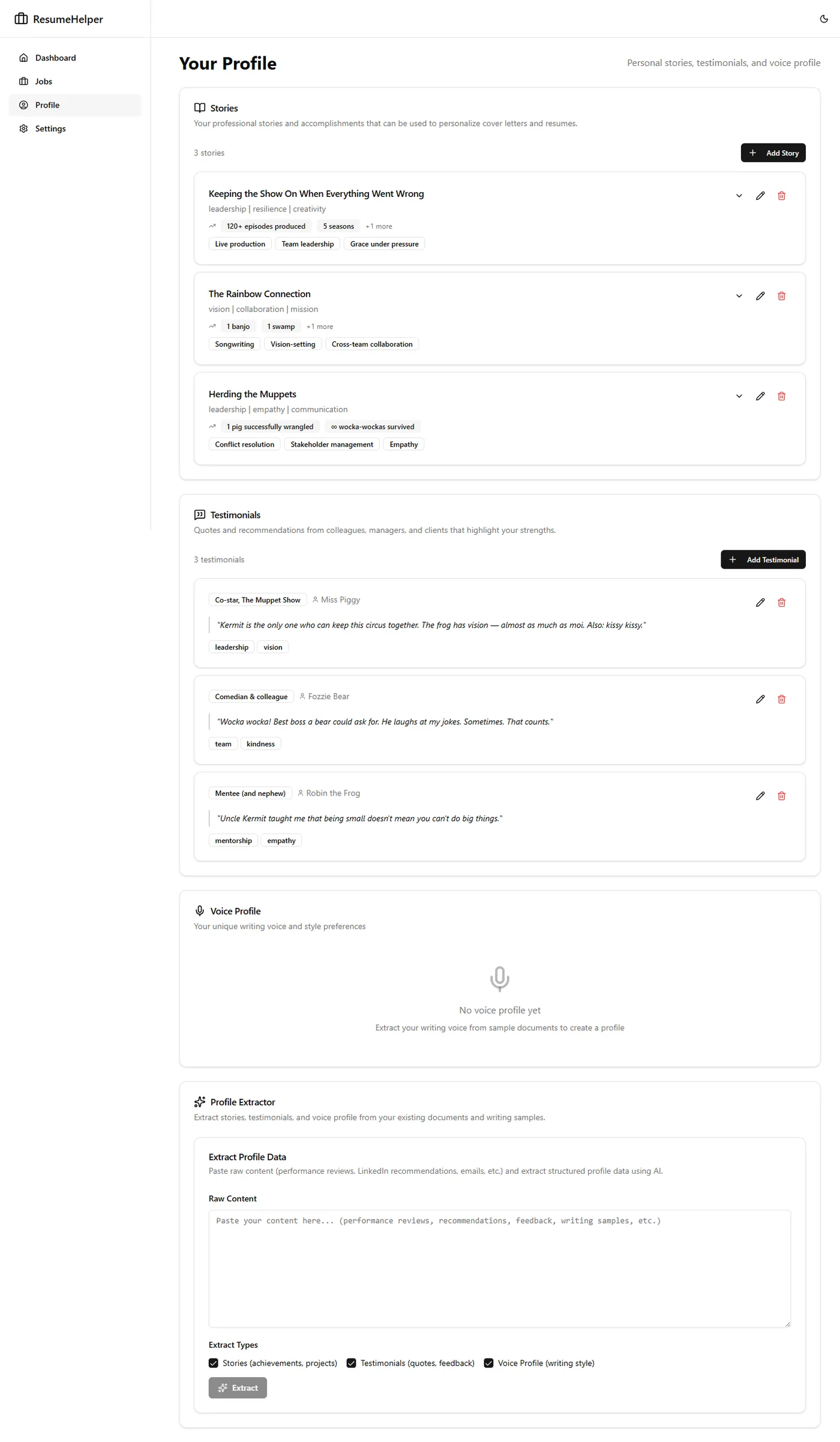
In addition, there are Stories and Testimonial sections where you can describe past projects or things you were proud of. These will also be used later if needed to add color and help you prep for interviews.
Now how do you start tracking jobs?
Tracking A Job Application
You can:
- Add a job manually
- Pop the url into the smart-scraper
- Use the Chrome Extension
I find the Chrome Extension to be the quickest way to get a new potential job into the system and start tracking it.
The extension reads the DOM of the page you're looking at and grabs the information and saves it back to the Resume Helper app for you. It has an HTML picker tool where you can highlight an html element to grab the entire job description.
I'm aware that some sites don't want you to scrape their job listings and I just add those manually.
Fit and Qualification Scoring
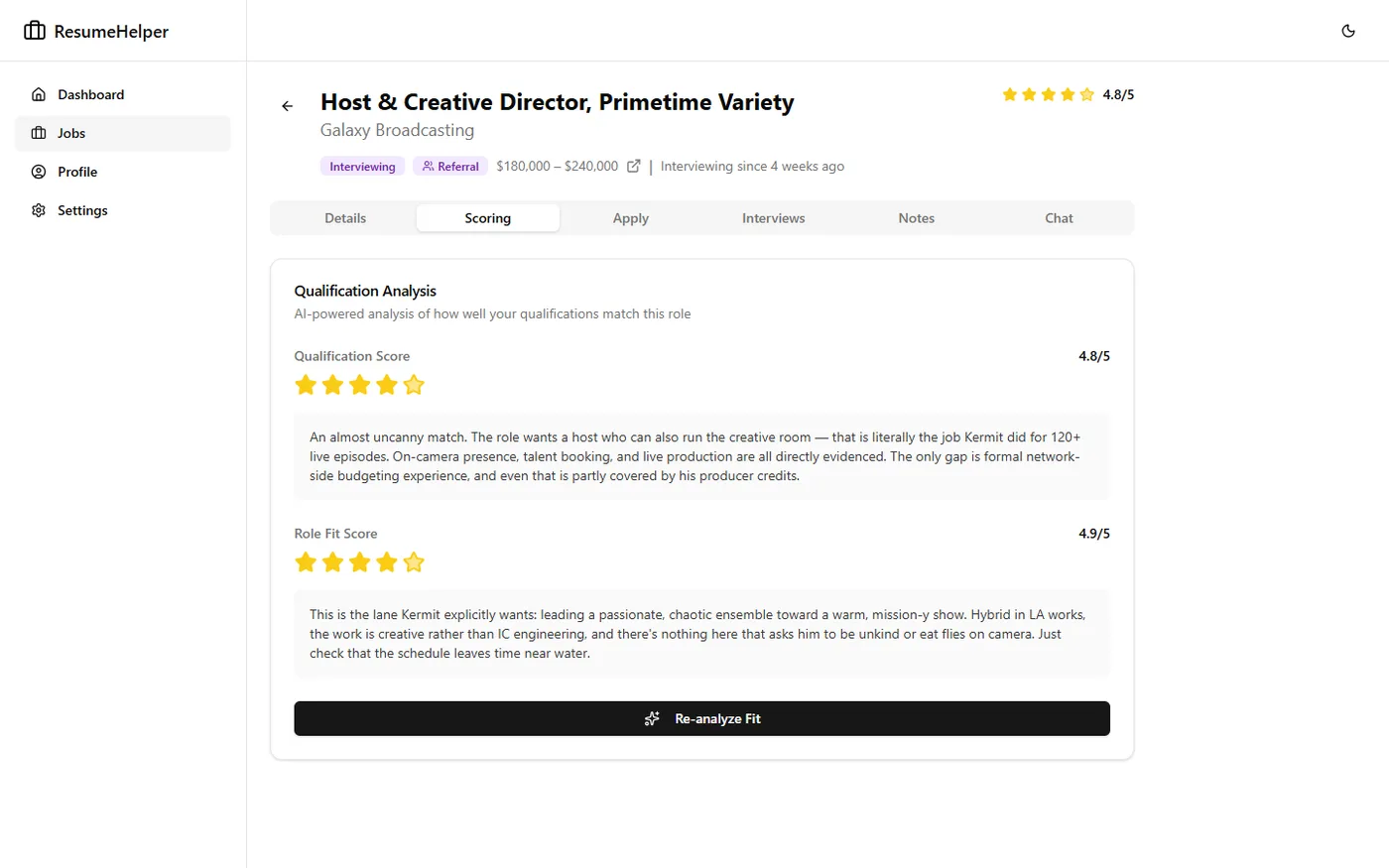
This is honestly one of the most helpful parts of the system. After adding a job, how do you know if it's really worth applying to? That's where scoring comes in.
Scoring is done by an agent who looks over the job details, your profile, and returns two scores:
- Qualification score - how qualified are you to do this job
- Fit score - how well would this job fit what you are looking for and given your profile
It also gives you a single combined score.
This is all helpful to help you prioritize your time and decide jobs to apply for.
Resume and Cover Letter Tailoring
A few years ago I actually hired a Resume Writer and she recommended I tailor my resume and cover letter for each job I apply for. The intention here isn't to make things up, but to highlight certain strengths you have and know are valuable for the specific job you are applying to. This is where your comprehensive resume and Stories come in handy because things can be pulled from those to create a resume that sings your praises in exactly the tune the hiring manager is looking for.
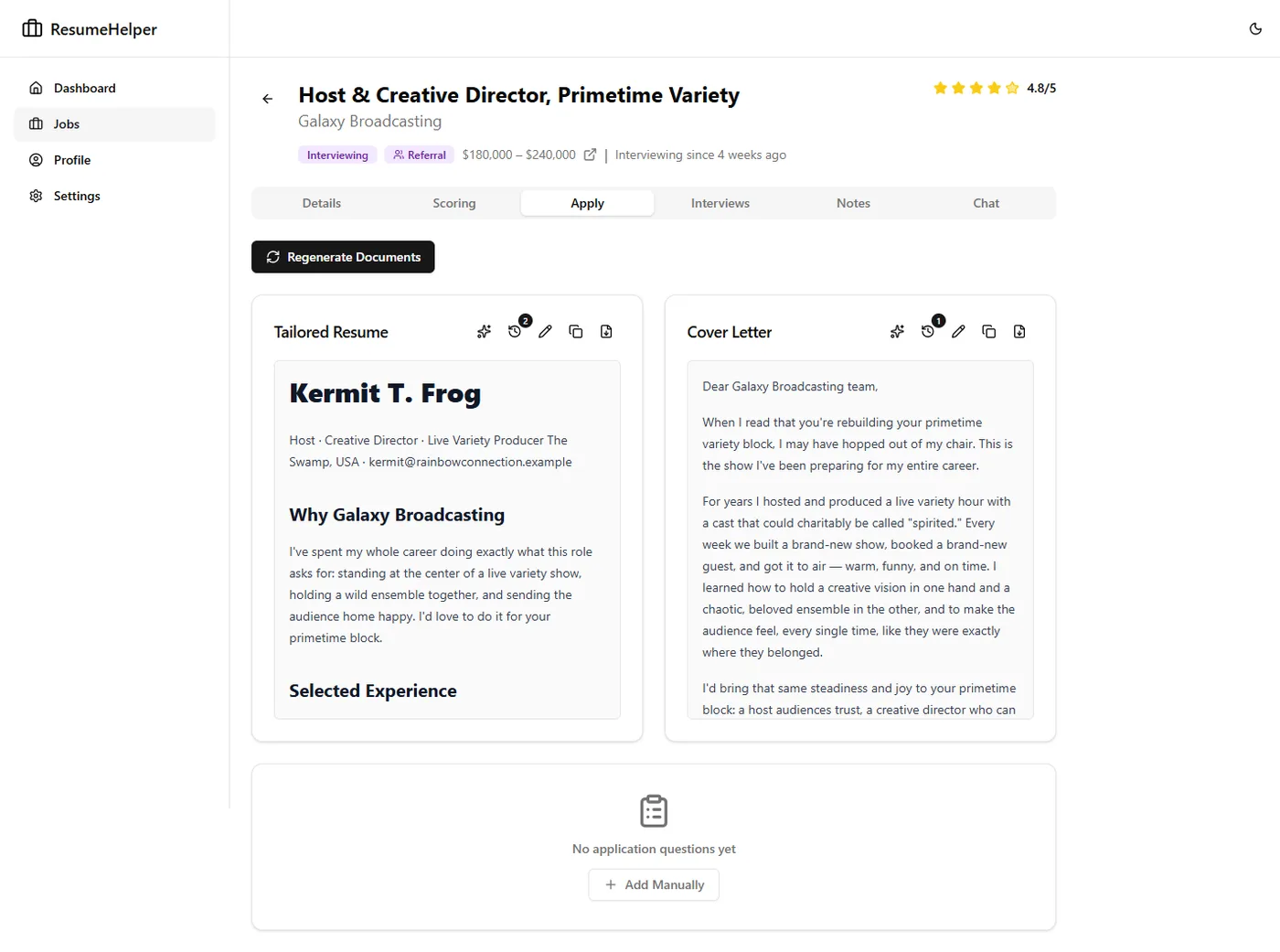
The technical pieces here are kind of interesting, especially how we prevent hallucinations.
- We ask an agent to create a tailored resume for you given the relevant details. In this prompt we tell it not to hallucinate and stay factual, stick with the STAR method of bullet points and keep the result ideally to one page.
- We do a second pass using the LLM-as-a-judge pattern where we take the output from the first step and have another agent review it and verify everything against your original details.
- We do a final humanizing pass where we ask a third agent to rewrite any text that sounds too much like an AI. This step might be controversial but AI writing is off-putting to some people and while your resume is 100% grounded in facts, we want to make sure it doesn't sound made up either.
If you've got too many emdashes, you might be rejected outright no matter the substance of your resume.
A similar thing is done with a cover letter if you need one of those as well.
Chat with your Job
Each job has a dedicated chat interface that knows about all the job details and your profile. Think of it as a mini career coach or advisor. It's like a project scoped specifically to this individual job.
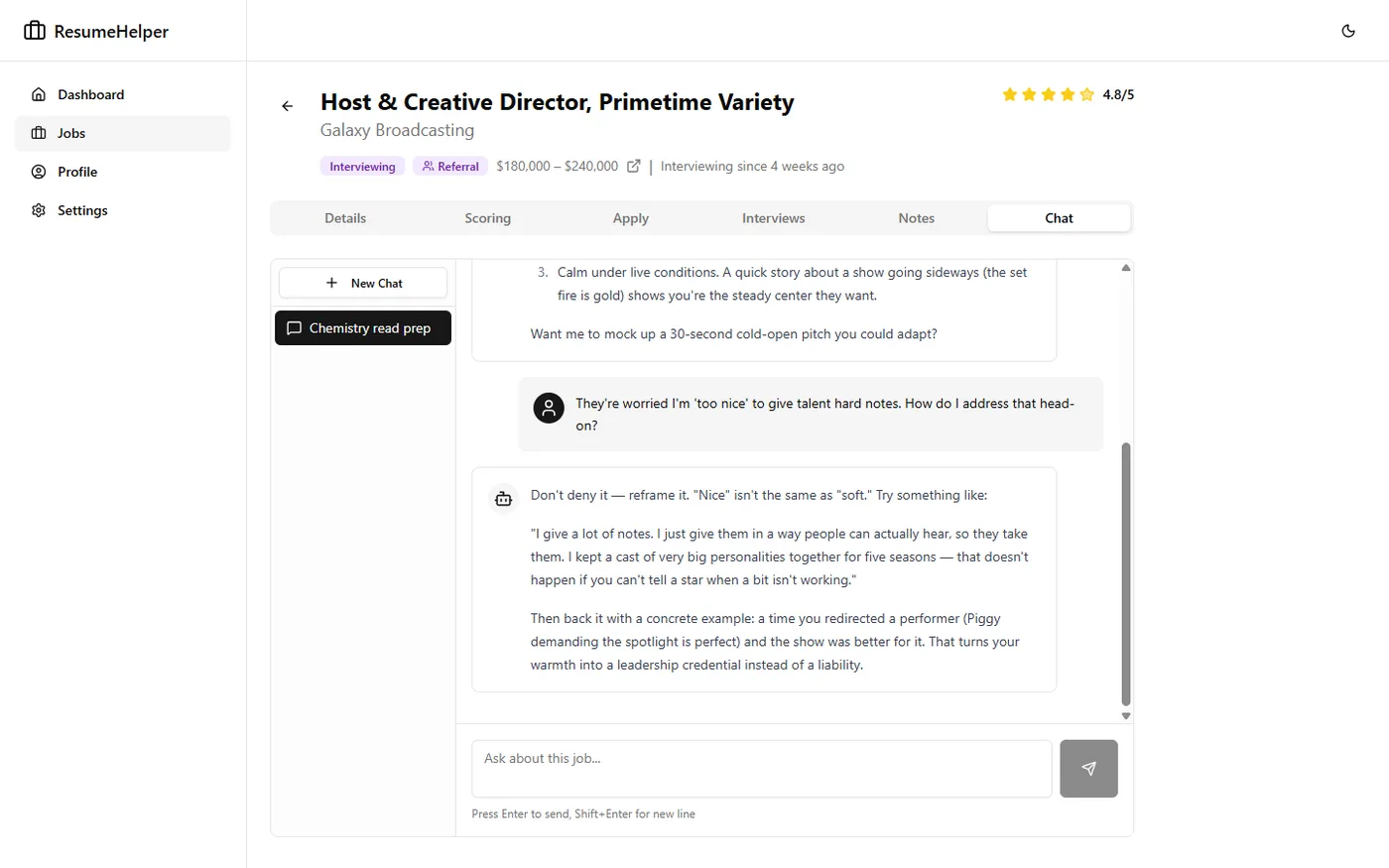
If everything works out, you get contacted for an interview. You can track those too.
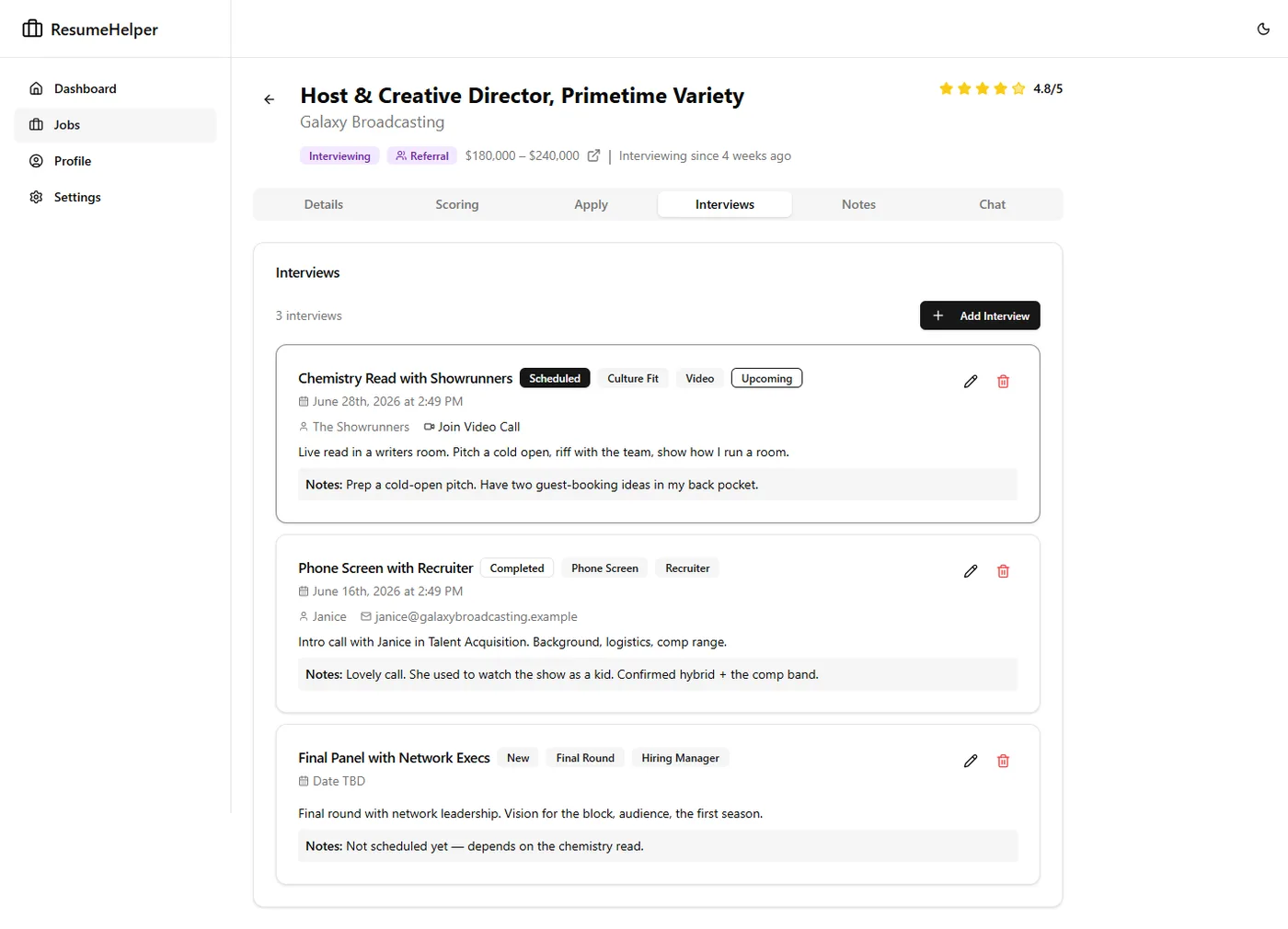
Interview Tracking
The jobs I apply for often have 4-8 separate interviews and it's sometimes hard to keep track of all those details. So I added that functionality too.
You label the type of interview with tags such as "Phone Screen", "Behavioral Interview", etc as well as add prep notes to help you get ready. I find it helps to pop over to the chat at this point and ask it to help you prepare. You can ask it to "create a mock interview for me" or "create a study guide to prepare for my Backend Technical Interview" or whatever you need. There's also a place to put any notes and score (how well the interview went from your perspective) you have that come from doing the interview itself. This all gets tracked and fed back into the details of the job and allows you to have all the information at hand when you use the chat or prepare for additional discussion.
Logging
Now at some point in the process you may forget what has happened or what is next, so we needed a place to track things chronologically. Enter: Logging! On this tab of a tracked job you can see things like when the status changed and can also enter random notes like the body of emails you receive from the recruiter, or links to documents they send you, etc. This helps you keep a chronological log of the progress of the job application and keep the whole process moving along smoothly.
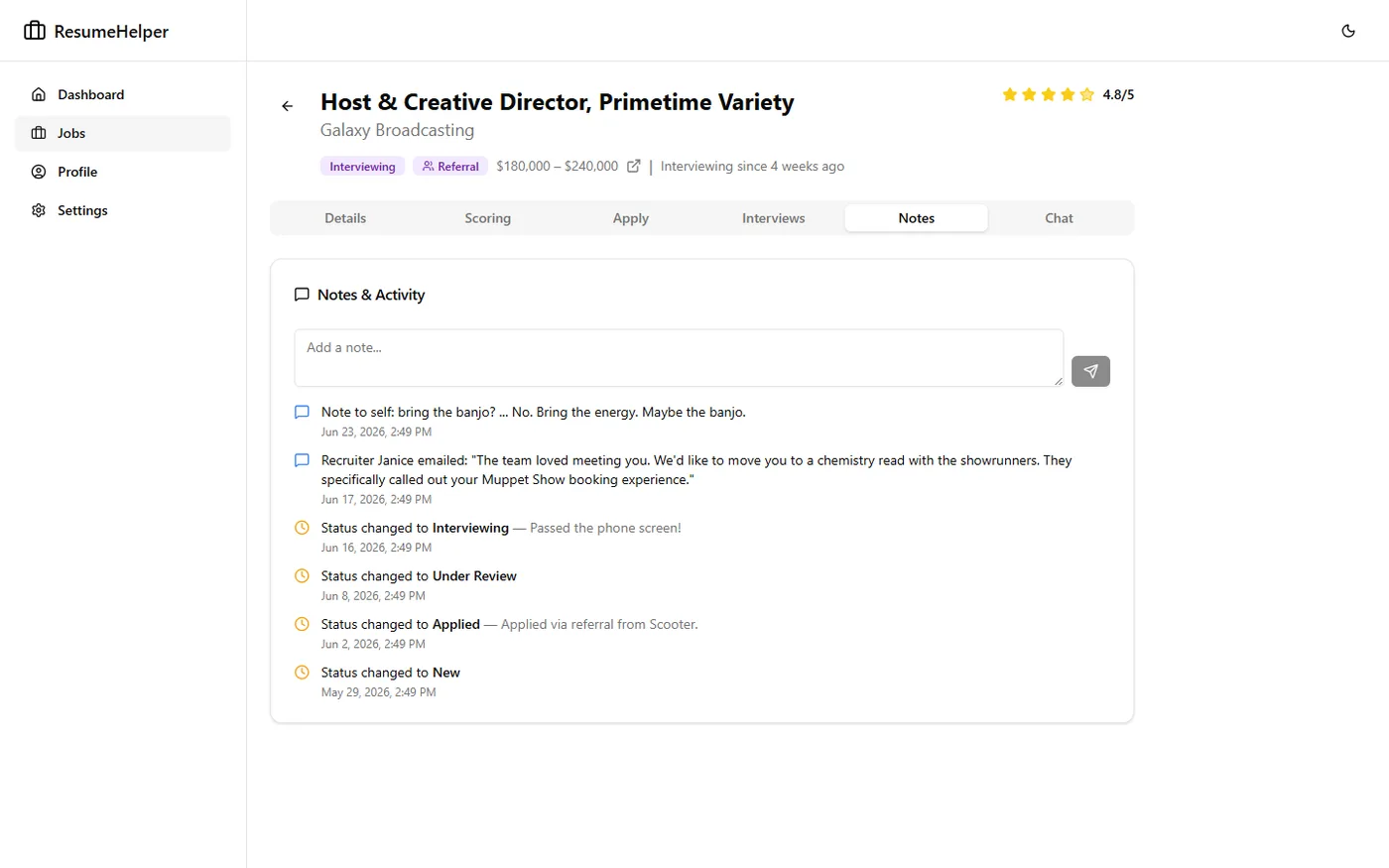
This system has definitely evolved over the years and helped me land many interviews and an actual job! But now that I'm back on the market, I'm making some updates and using it again. A few items on the roadmap include more stats to help you determine what types of jobs you should apply for, more automation around tracking when a job application is closed (and you never heard back) and some other things. We'll see where this goes!